
TomTom GO Expert: Truck GPS
TomTom International BVMaps & Navigation
3.63.56K Reviews
- Version
- 3.6.324
- Installs
- 10.00M
- Age Rating
- Everyone
Screenshots
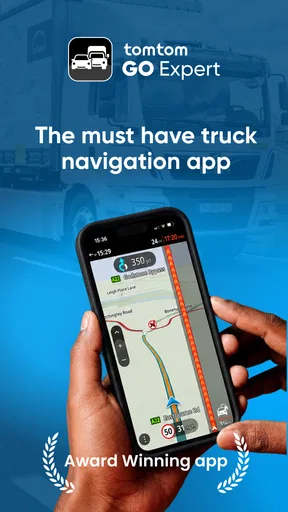
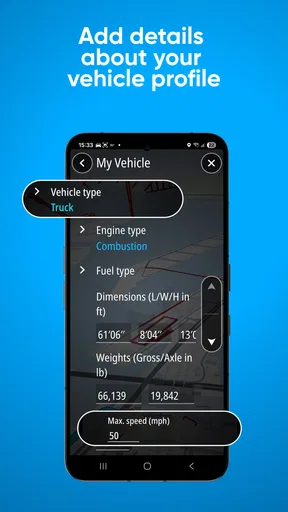
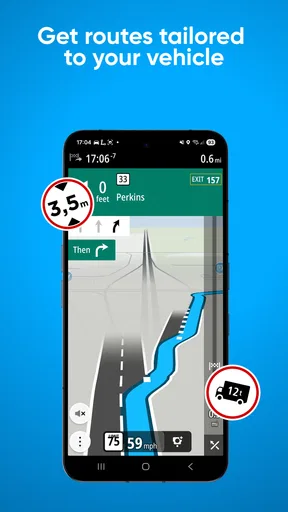
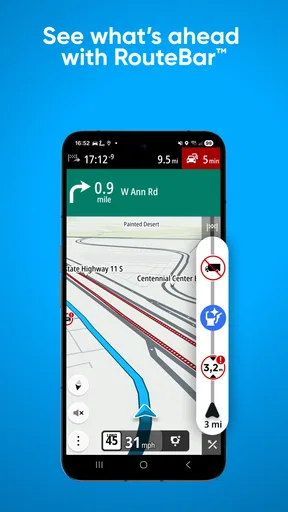
Our Review of TomTom GO Expert: Truck GPS
 Analysis by Appyee
I judge a truck navigation app by more than whether it can find a route. I want to know whether its guidance fits the vehicle I am actually driving, whether I can make sense of a change while staying focused, and whether the app gives me enough control to use it comfortably. TomTom GO Expert: Truck GPS is built around those practical questions, which makes it more relevant to professional drivers than a standard map app. My cautious view is that it can be a useful routing companion, but I would still treat its directions as one input alongside vehicle restrictions, road signs and my own judgement.
Why trust matters when the route is for a truck
A wrong turn in a car can be an inconvenience; for a truck, it can mean a difficult detour or a road that does not suit the vehicle. That is why I pay attention to the distinction between a truck-focused navigator and a general-purpose alternative. TomTom International BV makes this Maps & Navigation app, and its truck-oriented approach is the main reason I would consider it for regular work trips rather than relying only on the navigation already on my phone.
There is also a practical trust question beyond routing: what information does an app ask for, what choices does it show, and can I understand those choices before depending on it? I do not assume a privacy or permission practice simply because an app is designed for drivers. I would review the permissions and any account or data options presented on my own device, and make a deliberate choice about what I enable. That habit is worthwhile with any navigation tool, especially one used throughout a working day.
Set the route up around the vehicle
The first step I would not rush is entering the truck details used for routing. A route can only be useful for a particular vehicle if the relevant vehicle constraints are set accurately, so I would double-check dimensions and weight before trusting a suggested road. If a vehicle or load changes, I would revisit those settings rather than assuming yesterday’s route profile still applies. This small bit of preparation is more valuable than trying to fix a bad route after reaching a restricted junction.
Multi-drop planning is another feature that can change how useful the app feels over a workday. For a driver with several deliveries, planning the stops together can make it easier to see the shape of the day and spot an awkward sequence before setting off. I would still review the order against appointment times, loading arrangements and the realities at each site; a route planner cannot know every operational constraint. Used that way, it helps with preparation without pretending to replace dispatch or local knowledge.
What to expect in everyday use
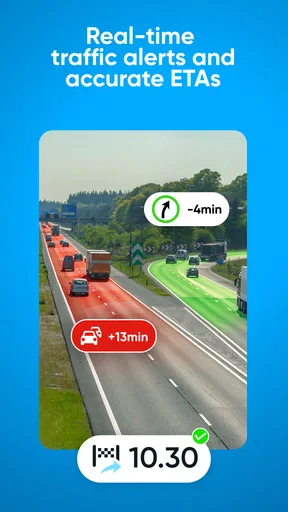
Traffic information can be most useful when it gives me enough time to consider a change, not when I react at the last moment. If an incident or roadworks affect the route, I would check the proposed alternative carefully for truck suitability before following it. A quicker car route is not automatically a better truck route, and the vehicle profile is only as dependable as the information entered and the map guidance available. I would keep road signs and current restrictions ahead of any app instruction.
Truck points of interest are valuable for planning breaks and practical stops, but I would treat them as a starting point rather than a guarantee. A listed place may not fit the timing or needs of a particular shift, so I would check the details that matter before committing to a detour. This is especially important if parking is essential or the stop is tied to a delivery schedule. The benefit is having truck-relevant places in the navigation context, not having every stop decision made for me.
First Impressions and Features
Right off the bat, TomTom GO Expert impresses with its sleek and user-friendly interface. Setting it up was a breeze, which is a huge plus when you're eager to hit the road. One of the standout features is the real-time traffic updates. It’s like having a buddy in the passenger seat keeping you in the loop about upcoming jams, accidents, or roadworks. This has saved me countless hours and a lot of frustration.
Now, let's talk about the truck-specific features. This app is designed with truckers in mind, offering specialized routing based on your vehicle's dimensions, weight, and cargo type. No more unexpected low bridges or weight-restricted roads popping up on your route. It’s like having a personal navigator who knows exactly what you need!
Navigation Made Easy
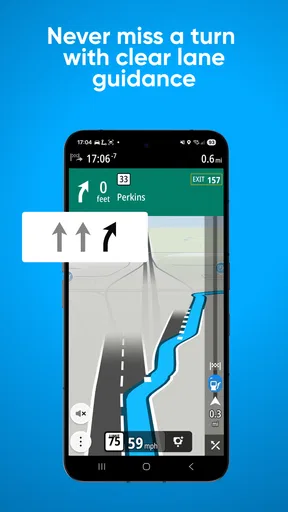
One of the things I love most about TomTom GO Expert is how intuitive it is. The voice guidance is clear, and the lane guidance feature is incredibly helpful, especially in those tricky multi-lane situations. The map updates are frequent and reliable, ensuring you're always on the most efficient route.
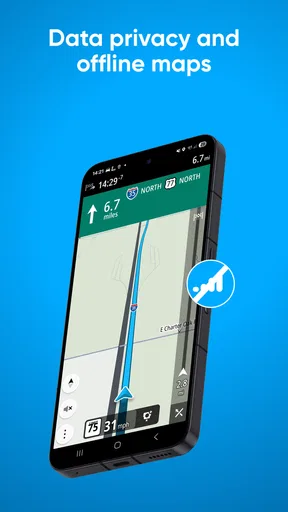
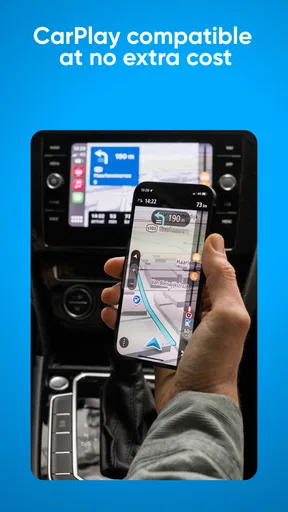
The app also integrates seamlessly with your smartphone, allowing you to make and receive calls, send messages, and even use voice commands without taking your eyes off the road. Safety first, right? Plus, the offline maps feature means you’re never left in the lurch if you find yourself in a no-signal zone.
Extra Perks for the Pros
What sets TomTom GO Expert apart is its attention to detail for professional drivers. There’s a handy trip report feature that logs your driving hours and mileage. This not only helps with route optimization but is also a lifesaver when it comes to keeping track of your working hours for compliance purposes.
Another neat feature is the POI (Points of Interest) tailored for truckers. Need a rest stop with truck parking? Or maybe a fuel station with the best diesel prices? This app has got you covered. It's like having a local guide in every city you visit.
Putting the controls in your hands
What I would check before a long shift is how the app behaves in the conditions I expect to face: whether I can find the map area I need, whether the route profile still matches the vehicle, and whether the screen and spoken guidance are easy to follow from the cab. An app can be technically capable and still be a poor fit if its prompts distract me or its setup takes too long between jobs. I would make those checks while parked, not while moving.
Offline navigation is a useful fallback when coverage drops, but it does not remove the need to prepare. I would make sure the relevant maps are available before leaving a reliable connection, and would not assume that every live service behaves the same way without signal. For a route through remote areas, a downloaded map can help keep basic navigation going; live traffic, by its nature, is most useful when the phone can receive current information.
That distinction helps answer a common practical question: can I depend on it everywhere? I would depend on it as a navigation aid, not as the sole authority for a route. Coverage, changing road conditions and local restrictions can affect what any digital navigator offers. If a sign conflicts with an instruction, I follow the sign. If a suggested diversion looks unsuitable for the truck, I stop safely and reassess rather than treating speed or convenience as the deciding factor.
A realistic shift, and where the app fits
Imagine starting a morning with several deliveries, a truck profile already checked, and a first stop outside the city. I would plan the stops before pulling away, then use traffic guidance to understand where congestion might affect the schedule. If the app proposes a diversion near a delivery, I would consider whether it still respects the vehicle’s constraints and whether it makes sense for the next stop, rather than accepting it blindly. At a planned break, truck-focused points of interest could help me identify options, while I would still verify that a particular location works for the vehicle and timing.
This workflow shows the app at its best: it can bring route planning, traffic awareness and truck-relevant places into one navigation routine. It does not remove the driver’s responsibility to check the route, nor does it replace a dispatcher’s priorities or a company’s compliance process. I would use any trip reporting as a convenient record, not assume it is an official or complete substitute for whatever recordkeeping the job requires.
Compared with a general phone map, the key trade-off is specialization. A familiar car-navigation app may be quicker for a short personal trip or a driver who does not need vehicle-aware routing. For a truck route, that convenience can be outweighed by the need to account for vehicle constraints and truck-oriented stops. A dedicated in-cab navigation device may suit someone who prefers a separate screen and a purpose-built setup, while this app is appealing if the driver wants navigation on a smartphone. The better choice depends on cab setup, work routine and how much truck-specific planning is needed.
Cost, compatibility and a sensible trial
The app is free to install, though it offers in-app purchases ranging from $1.99 to $129.99 per item. I would check what a particular purchase includes before paying and compare it with the way I expect to use the app; the broad price range makes it unwise to assume every useful capability is included at no cost. A driver who only needs occasional truck routing should think about the value of the available options just as carefully as someone using it every day.
It is rated for Everyone and requires Android 7.0 or later. The current version is 3.6.292-beta, so I would check that my device meets the requirement and consider the beta label when deciding how much to rely on it for a critical work route. That does not tell me how it will behave on every phone, so I would test it on a familiar journey before making it part of a demanding schedule.
Its 3.6 average from around 270,000 ratings, alongside over 10 million installs, suggests that plenty of people have tried it but opinions are not uniformly glowing. I see that as a reason to test the workflow personally rather than treating popularity as proof that it will suit every truck, device or route. If the setup, guidance and purchase options work for my routine, the specialized focus may justify keeping it; if they do not, a simpler navigation tool may be less hassle.
Who I would recommend it to
I would put this app on the shortlist for professional drivers who regularly need truck-aware routes, plan more than one stop, or want traffic and truck points of interest in the same navigation workflow. It may also suit an owner-operator who prefers to begin planning on a phone instead of relying entirely on a separate navigation unit. The strongest reason to try it is not that it promises to eliminate every road problem; it is that its truck focus gives the driver more relevant tools than a general map app usually provides.
I would be less enthusiastic about it for someone who drives a car, makes occasional local trips, or simply wants the lightest possible turn-by-turn navigator. Those users may find a standard maps app easier, with fewer truck-specific settings to configure. It is also not the right choice for anyone who expects a phone app to make the final call on restrictions, guarantee a parking space or replace formal work records. Knowing those limits helps keep the app in the role it can serve well: a planning and guidance aid, with the driver still in charge.
Wrapping It Up
In conclusion, TomTom GO Expert: Truck GPS is more than just a navigation app; it’s a comprehensive tool designed to make life on the road easier and safer for truck drivers. From personalized routing to real-time traffic updates and truck-specific POIs, it’s packed with features that cater to the unique needs of professional drivers.
If you’re in the trucking business or spend a significant amount of time on the road, this app is definitely worth a try. It’s like having a co-pilot who’s always on the ball, helping you avoid hassles and keep your journey smooth.
So, next time you’re gearing up for a long haul, consider giving TomTom GO Expert a whirl. Safe travels, and may your journeys be smooth and your routes efficient!
Verdict
Strengths of TomTom GO Expert: Truck GPS
- Accurate truck-specific routing
- Customizable vehicle dimensions
- Real-time traffic updates
- Offline maps available
- Regular map updates
Limitations of TomTom GO Expert: Truck GPS
- High data consumption
- Subscription required for some features
- Limited free trial period
- Occasional app crashes
- Heavy battery usage
Other Releases by TomTom International BV
View All
TomTom - Maps & Traffic
Maps & Navigation4.3
Similar Picks in This Category
View All
Uber - Request a ride
Uber Technologies, Inc.4.7


inDrive. Rides with fair fares
® SUOL INNOVATIONS LTD4.8

Yandex Go: Taxi Food Delivery
Mikromobilnost LLC Belgrade4.8

Bolt: Request a Ride
Bolt Technology4.8

Rapido: Bike-Taxi, Auto & Cabs
Rapido Bike Taxi4.8
You May Also Like
View All

Frequently Asked Questions
What features does TomTom GO Expert: Truck GPS offer?
TomTom GO Expert: Truck GPS is designed specifically for truckers, offering features such as customizable routes based on vehicle dimensions and weight, live traffic updates, and detailed maps. It also provides specialized points of interest for truck stops and rest areas, ensuring efficient and safe journeys tailored to professional drivers.
Is TomTom GO Expert: Truck GPS available offline?
Yes, TomTom GO Expert supports offline functionality. Users can download maps in advance, which is particularly useful in areas with poor connectivity. Offline maps ensure that drivers have access to essential navigation features and route information without relying on mobile data, making it reliable for long-haul trips.
How accurate is the real-time traffic information?
The app provides highly accurate real-time traffic information by utilizing data from millions of connected devices. This allows the app to offer precise updates on traffic conditions, road closures, and delays, helping truck drivers avoid congestion and optimize their routes for timely deliveries.
Can TomTom GO Expert: Truck GPS be customized for different truck types?
Absolutely. The app allows users to input specific details about their vehicles, such as size, weight, and cargo type. This customization ensures that the route suggestions are compatible with the vehicle's requirements, avoiding roads with low bridges, weight limits, or other restrictions that could impede travel.
Does TomTom GO Expert integrate with other apps or devices?
TomTom GO Expert can integrate with various devices and apps, enhancing its functionality. It supports Bluetooth connectivity with smartphones for hands-free calling and integrates with logistics software for seamless trip management. This makes it a versatile tool for modern truck drivers who rely on technology for their operations.
